Illustrated newgrf station guide
 |
|
 |
This article or section has been proposed for deletion, but has no comment or reason cited. Further information may be found on the talk page. |
Quick Jump:
Freight Industrial,
Freight Buildings,
Basic Platforms,
Freight Platforms,
Industrial: Stations
Freight, Industrial (done /logix)


Coal Unload

Track Tile: Yes
Comments: Length: 2 ... 6(?)

Coal Pile

Track Tile: No
Comments: Always displays coal piles, even if none is waiting. For dynamic piles which will only show when coal is waiting, see Mineral Pile.
Industrial: Stations


Mineral Unloader
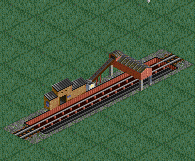
Track Tile: Yes


Valuables Station

Track Tile: Yes
Comments: If built more than 3 tiles wide an area opens in the middle to show operations at the station. Outer edges though, must be all walled for security.

Goods Station A

Track Tile: Yes
Dynamic: Yes
Comments: Station type A contains buildings, B does not.
Goods Station B

Track Tile: Yes
Dynamic: Yes
Comments: Station type A contains buildings, B does not.
Steel Mill Station

Track Tile: Yes
Comments: One lane is a building, the rest are the cranes.
Freight, Buildings(done /logix)
Main Building

Track Tile: No
Comments: Can only be built in a 1x2 section.


Freight, Platforms


Buffer Platform (a)

Track Tile: No
Comments: Comes in 2 versions for full NWSE support.

Overhead Crane

Track Tile: No
Comments: Placing one tile at a time will leave out crossbeam supports seen above. To have crossbeams, drag a length and the cross beams will be half of the length of the drag. This will allow you to get the beams just how you want them.
Basic Platforms (done /logix)


Categories: Obsolete ArticlesArticles proposed for deletionAll articles proposed for deletionPages with broken file linksStations